
SINGAPORE, July 17, 2026 – For anyone who spends a large part of the working week in meetings, interviews, briefings or panel discussions, the problem is familiar. You want to listen properly, ask the right follow-up question, capture the essential points and still walk away with a clean record of what was discussed.
That is precisely the workflow Cuneflow is trying to address.
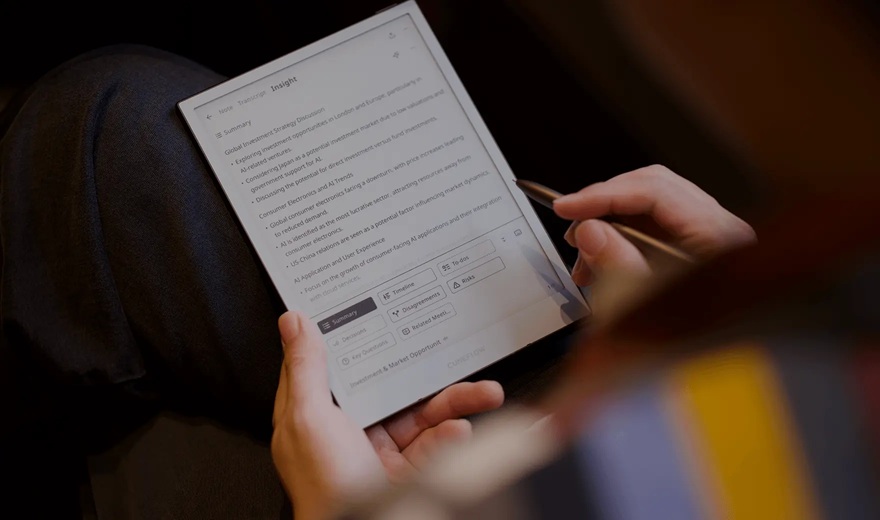
Cuneflow is positioned as a “voice-and-ink AI notebook”, combining an E-Ink writing tablet, stylus-based handwritten notes, voice recording, transcription and AI-generated summaries. The company says the device captures handwriting, audio and AI summaries on an E-Ink display, with a focus on meetings and concentrated work.
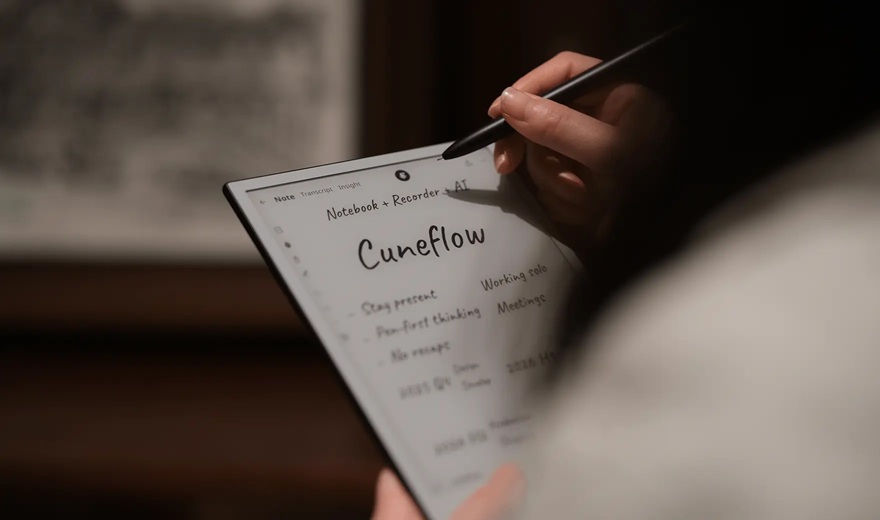
At first glance, Cuneflow sits somewhere between a digital notepad, a meeting recorder and an AI assistant. It is not trying to be a general-purpose tablet like an iPad. Nor is it purely a distraction-free writing device like some E-Ink notebooks. Its main proposition is more specific: it wants to help professionals capture and organise conversations without forcing them to type throughout the meeting.
What Cuneflow Gets Right
The strongest thing about Cuneflow is that it recognises a very real professional pain point. Most meetings produce scattered notes, half-remembered action items and recordings that are rarely revisited. Cuneflow tries to bring those pieces together in one workflow.
According to early product information and previews, users can record audio during a meeting, generate real-time transcription, write handwritten notes and then use AI to produce summaries, action plans, key questions and structured timelines. eWritable described the device as a “centralised hub for meeting intelligence” rather than a simple digital notebook.
That is the key differentiator.
A normal recorder captures sound. A normal notebook captures your own thoughts. A transcription app captures words. Cuneflow attempts to combine all three: what was said, what you wrote, and what AI can infer from the meeting afterwards.
For journalists, consultants, founders, students, lawyers, analysts and communications professionals, that could be valuable. In an interview or business meeting, the ability to write a quick note while the device records and transcribes the conversation could reduce the need to frantically type or constantly look down at a laptop.
The E-Ink Advantage
Cuneflow’s E-Ink display is another important part of the proposition.
Engadget reported that the device uses an 8.2-inch E Ink Carta 1000 display with a resolution of 1,920 x 1,440, along with a Wacom EMR stylus, 128GB of storage, 4GB RAM and a battery rated for around seven to eight hours of continuous use.
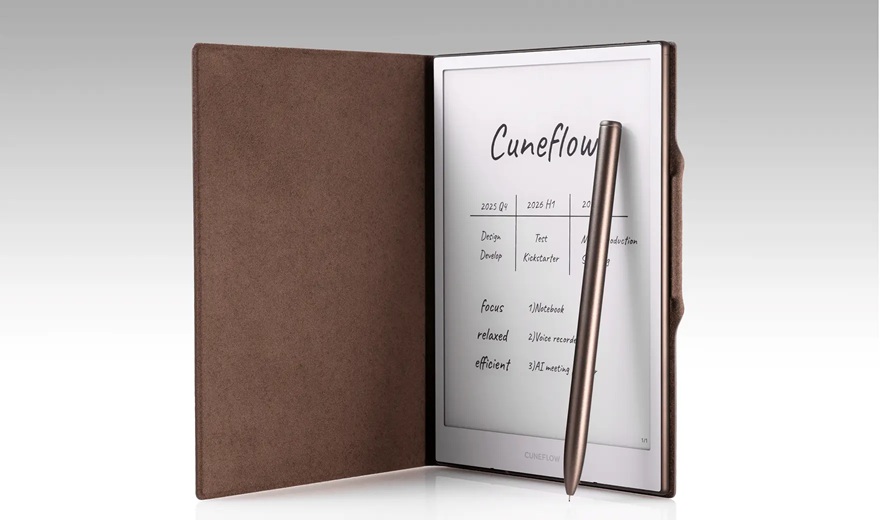
The E-Ink format matters because meetings are often not the best place for a laptop screen. Laptops create a barrier between people. Tablets can become distracting. Phones are worse, because they create the impression that you are checking messages.
An E-Ink notepad feels more socially acceptable and visually calmer. It allows the user to appear present while still capturing information. For interviews and executive conversations, that can make a difference.
The handwriting experience also matters. People do not always think in linear typed sentences. They sketch arrows, circle ideas, write one-word reminders, map relationships and mark follow-up points. Cuneflow’s attempt to combine handwriting with voice and AI is therefore more aligned with how many professionals actually take notes.
The Meeting Intelligence Layer
The AI layer is where Cuneflow becomes more interesting.
The official positioning says the device can capture handwriting, audio and summaries, while the Kickstarter description says it is designed to turn sketches and voice into structured insights in real time.
This could be particularly useful after long meetings. Instead of manually reviewing a full transcript, the user could ask for key decisions, follow-up actions, unresolved questions or a summary by topic. For business users, that may be where the time saving lies.
In theory, a journalist could come out of an interview with a transcript, handwritten notes and a preliminary summary. A startup founder could come out of an investor meeting with action items and a follow-up email outline. A consultant could leave a client workshop with structured discussion themes.
This is where Cuneflow feels more relevant than a conventional E-Ink tablet. It is not only about writing. It is about converting a messy live conversation into something usable.
Integrations Could Be a Major Advantage
Another advantage is workflow integration.
Public product material indicates that Cuneflow is being positioned with productivity integrations such as Notion, Slack, Microsoft 365 and Google Workspace.
This is important because the value of meeting notes depends on what happens after the meeting. If notes and summaries remain trapped inside a device, the benefit is limited. If they can be sent into Slack, added to a project workspace, stored in Notion or shared through a broader productivity stack, the device becomes part of the working system.
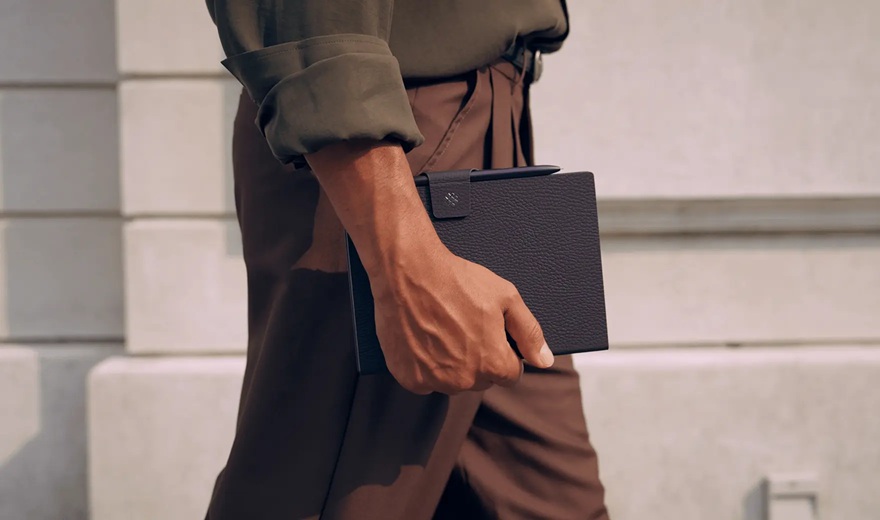
For business users, this could be one of Cuneflow’s strongest selling points. The device is not just capturing notes. It is trying to move them into the places where work actually continues.
Where Cuneflow May Fall Short
The biggest shortfall is that Cuneflow’s promise depends heavily on execution.
A recorder-notepad-AI assistant sounds excellent, but the practical value will depend on transcription accuracy, microphone quality, speaker separation, handwriting recognition, latency, export options and how well the AI understands messy real-world conversations.
Meetings are rarely clean. People interrupt each other. Rooms are noisy. Speakers have different accents. Technical terms are used casually. In interviews, people may move quickly across topics. In events and conferences, background noise can be significant.
For a device like Cuneflow, transcription accuracy in such settings will determine whether it becomes genuinely useful or simply produces another document that needs heavy correction.
The second issue is privacy. Any device that records meetings and processes transcripts through AI raises questions about where data is stored, how it is encrypted, whether the AI processing happens locally or in the cloud, and how enterprise users can manage confidential material.
For journalists, lawyers, financial professionals, HR leaders and consultants, this is not a minor concern. Recording consent is also important, especially in jurisdictions and workplace settings where conversations cannot be recorded without permission.
The third concern is product maturity. Cuneflow appears to be moving through pre-order and Kickstarter-style launch channels, which means early buyers should treat it as an emerging product rather than a fully proven enterprise device. Engadget framed it as a product designed to automate business busywork and noted the question of whether the concept is compelling enough for buyers when it launches through Kickstarter.
That does not make it unattractive. It simply means early adopters should expect some rough edges.
Battery life may also be a consideration. A seven-to-eight-hour continuous-use rating is acceptable for many workdays, but heavy recording, transcription and frontlight usage could affect real-world endurance. Professionals covering day-long conferences may still need a power bank or charging break.
Finally, there is the subscription question. AI transcription and summarisation are rarely free at scale. Early previews have noted the possibility of a subscription model. If Cuneflow requires recurring payments for AI features, buyers will need to evaluate the total cost of ownership, not just the device price.
Who Should Consider Cuneflow?
Cuneflow is most compelling for people whose work depends on capturing conversations accurately.
That includes journalists, editors, consultants, researchers, founders, product managers, board executives, students, analysts, lawyers and anyone who spends a lot of time in meetings. It could also be useful for people who dislike typing during conversations but still need structured outputs afterwards.
For ABT’s audience, the device is especially relevant to startup founders, communications professionals and business leaders who need to turn meetings into decisions, follow-ups and content.
It may be less useful for users who simply want a clean digital notebook without AI, or for those who already have a strong workflow built around laptops, tablets and transcription apps. It is also not meant to replace a full tablet or laptop. It is a specialised meeting and note-taking device.
The Verdict
Cuneflow’s biggest advantage is that it understands the modern meeting problem.
Professionals do not need another device that merely stores notes. They need something that can capture the flow of a conversation, preserve their own thinking, identify what matters and turn it into usable output.
On that front, Cuneflow is a promising idea. The combination of E-Ink handwriting, voice recording, transcription and AI summaries could be genuinely useful for business users who want to be more present in meetings while still leaving with structured notes.
Its shortfalls are equally clear. The device will succeed or fail on transcription accuracy, privacy protections, AI quality, workflow integrations, subscription pricing and reliability in noisy real-world settings.
For now, Cuneflow looks like an ambitious attempt to reinvent the meeting notebook for the AI era. It may not be for everyone, but for professionals who live in conversations, it could become a surprisingly useful work companion.
Suggested Rating
Concept: 4.5/5
Productivity Potential: 4/5
Meeting Use Case: 4.5/5
Privacy and Enterprise Readiness: To be tested
Overall Early Impression: 4/5
Cuneflow is not just a notepad with a recorder. It is an attempt to turn meetings into structured intelligence. If the execution matches the promise, it could find a strong niche among professionals who want the calm of paper with the productivity of AI.
All images courtesy cuneflow.com